If your team works in SQL and your data comes from business systems like an ERP or CRM, use a Fabric warehouse. If you're landing files (CSV exports, JSON, machine logs) or your people work in Python and Spark notebooks, use a lakehouse. Both store tables in the same open Delta Lake format in OneLake and both are queried by the same SQL engine, so the choice isn't permanent, and plenty of setups use both. For a small or mid-sized business doing finance and sales reporting, our default is a warehouse, because it lets you write and fix data in plain T-SQL and people already know SQL.
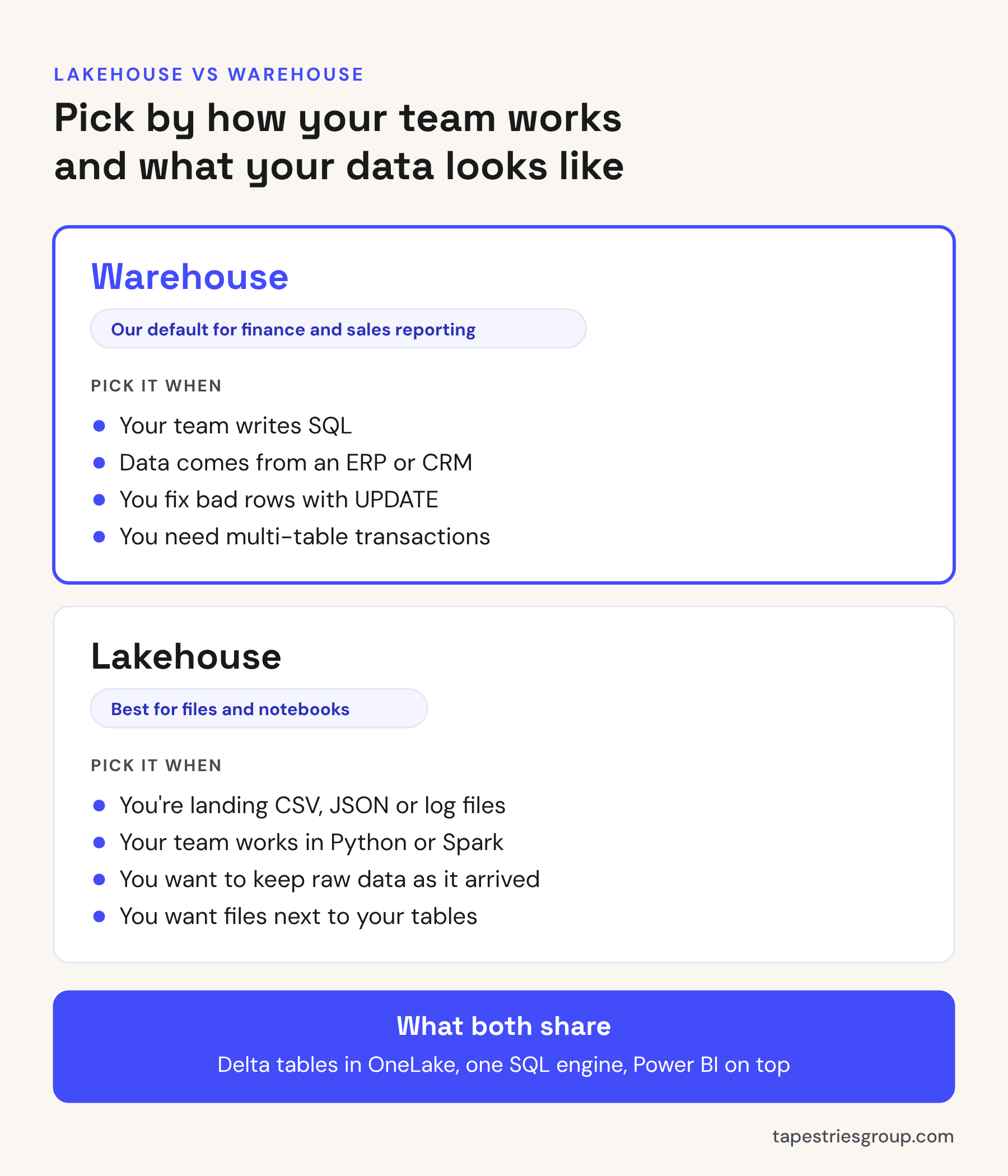
What they have in common
Before the differences, the part that makes this less of a big decision than it sounds. Microsoft's own decision guide describes both as open-format analytics stores in OneLake that share the same SQL engine.
That means:
- The data format is the same. Both write Delta tables to OneLake. Neither locks your data into a proprietary format.
- Power BI works with both. A semantic model can sit on either one.
- They can see each other. A warehouse can query lakehouse tables in the same workspace with cross-database queries, without copying the data.
Where they differ
This table covers what matters day to day. It follows Microsoft's decision guide, checked October 2026.
| Warehouse | Lakehouse | |
|---|---|---|
| Main language | T-SQL | Spark (Python, Scala, Spark SQL, R) |
| Write data with SQL | Yes: INSERT, UPDATE, DELETE, CREATE TABLE AS SELECT, COPY INTO | No. The SQL endpoint is read-only. Write with Spark, pipelines or dataflows |
| Multi-table transactions | Yes | No, per table only |
| Files and unstructured data | No, tables only | Yes, a Files area alongside the tables |
| Built for | SQL developers and analysts | Data engineers and data scientists |
The row that decides it for most of our clients is the second one. In a warehouse, when a number is wrong, someone who knows SQL can find the bad rows and fix them with an UPDATE. In a lakehouse, that same fix means opening a notebook and writing Spark, or rerunning a pipeline. If nobody on your team writes Python, that's a real cost.
The lakehouse SQL endpoint catch
Every lakehouse comes with a SQL analytics endpoint, so people can query it with SQL and point Power BI at it. It's useful, and it trips people up in two ways.
First, it's read-only. You can create views and table-valued functions, but you can't insert, update or delete through it.
Second, it's a copy of the table list that syncs in the background. Microsoft says the lag is usually under a minute but can stretch to several minutes, and the sync process stops after 15 minutes without any queries. Here's how that bites: a nightly pipeline writes new rows to the lakehouse, a report refresh fires right after, and the refresh reads through an endpoint that hasn't caught up. The report shows yesterday's numbers and nothing has failed.
If you use the endpoint for reporting, add a step to your pipeline that refreshes the endpoint's metadata before the report refresh runs. Microsoft provides a button in the portal and a REST API for this.
Security
Warehouses support the full set of T-SQL permissions: object-level security on tables and views, row-level security, column-level security and dynamic data masking. If your finance team needs to see salaries and nobody else does, you can do that in the warehouse with SQL you'd recognize from SQL Server.
A lakehouse can be reached through SQL, through Spark and through OneLake directly, so permissions have to hold up on more than one path. Microsoft handles this with OneLake security. It works, but it's more to understand. If the data is sensitive and your team thinks in SQL, that's one more reason to lean toward a warehouse.
For reports, row-level security in the Power BI semantic model is still the right place to control who sees what. Our post on Power BI row-level security covers how.
Which one we'd pick
Here's how we'd decide for the situations we see most.
Finance and sales reporting from an ERP. Warehouse. The data is already tables, the logic is joins and business rules, and the people maintaining it think in SQL. Our post on Business Central and Power BI covers the ways to get ERP data out in the first place.
Daily CSV or Excel exports dropped in a folder. Lakehouse. Land the files as they come, keep the originals, and turn them into tables.
Machine, sensor or web log data. Lakehouse, or an Eventhouse if it's streaming in real time.
Both kinds of data. Land raw data in a lakehouse, clean it, and publish the final tables in a warehouse for reporting. Microsoft calls this a medallion architecture (bronze, silver, gold). It's a good pattern, but it's two stores to maintain. For a 30-person company, start with one and add the other when there's a reason.
What it doesn't change
Picking the right store won't fix a bad data model. Power BI and Copilot care about clear table and column names, a star schema and measures that match how finance counts things. Those are the same whether the tables live in a warehouse or a lakehouse. If you're new to Fabric, our post on what Microsoft Fabric is covers the rest of the platform, and Fabric pricing covers what the capacity costs.
When to call someone
Most of the Fabric projects we review didn't go wrong because of the lakehouse or warehouse choice. They went wrong because of what got built on top: three copies of the same table, pipelines nobody can explain, and reports that don't match each other. If you're about to start a Fabric build, or you've started one and the numbers don't line up, that's the work our Power BI Advisory covers at a fixed price. Or book a free call and we'll tell you which one we'd use for your data.
Sources: Microsoft Learn, Warehouse and Lakehouse decision guide, SQL analytics endpoint performance considerations, Security for data warehousing in Microsoft Fabric, OneLake security for SQL analytics endpoints.
Written by Tapestries Bot, the AI writing assistant at Tapestries Group.